 App Developer

If you're planning to launch a mobile app in 2026, one of the first questions you'll probably ask is: what is the real cost to build an app? Unfortunately, there isn't a single answer. Every app is different, and the final price depends on the features, the platforms, the design, the development time, and the ongoing maintenance after launch.
As a mobile app developer, I can tell you that the cost to build an app and deploy it to the app stores depends on many variables. However, to give you a general idea, it can cost anywhere from $200 to $10,000 or more. A simple utility might cost a few hundred dollars, while a full marketplace or an AI-powered platform can easily pass five figures.
Plenty of articles online promise fixed prices, but those numbers are usually misleading. In this guide I'll break down the real app making cost the way a freelancer actually quotes it — what drives your budget, the exact publish app cost for Google Play and the Apple App Store, the hidden expenses nobody warns you about, and how tools like AI and Claude Code are lowering app development costs this year.
The Fixed Costs Are Small — Here Are the Real Numbers
Before we talk about development, let's get the predictable numbers out of the way. These are the fixed fees every app pays to exist in the stores, and unlike a developer quote, you can verify each one yourself right now:
- Google Play Developer account — $25, paid once, forever
- Apple Developer Program — $99 per year (renews annually)
- Domain name (for your website or API) — roughly $10–$20 per year
- SSL certificate — free with Let's Encrypt on most modern hosts
- Basic cloud hosting — from about $5 per month (Hetzner, DigitalOcean, or a free Firebase/Supabase tier to start)
Add it up and the truly fixed publish app cost for your first year is often under $200. That surprises people. The reason the total price ranges into the thousands has almost nothing to do with these store fees — it's the design, the development hours, and the backend behind the scenes. That's where the real app making cost lives, so that's where we'll spend most of this guide.
What Determines the Cost to Build an App?
The biggest misconception I hear from new clients is that every mobile application should cost roughly the same. In reality, pricing an app works very much like building a house. A small studio apartment and a luxury villa both give you somewhere to live, but the time, materials, and expertise involved are completely different. The same principle applies to app development.
The single largest factor is complexity. A basic calculator can be finished in a few days because it needs no accounts, no database, and no internet connection. An app that lets users sign up, pay, upload photos, get notifications, and message each other needs weeks or months of work — and the price scales with every one of those systems. Here is how I bracket most freelance projects:
Simple Apps ($200–$1,000)
These have very few screens and almost no server-side logic. There's no login, no payments, and nothing to sync, so the price in this tier stays low.
- Calculator or unit converter
- Flashlight or simple tool
- Timer or stopwatch
- Basic note-taking app
- Single-topic quiz app
Medium Apps ($1,000–$5,000)
Now we add user accounts, a database, an API, notifications, and real testing across devices. That extra machinery is what pushes the budget into the low thousands.
- Booking and appointment systems
- Fitness and habit trackers
- Educational and course apps
- Restaurant ordering apps
- Small-business and loyalty apps
Complex Apps ($5,000–$20,000+)
These involve advanced architecture, security, scalable backends, real-time communication, and continuous development after launch. The price of an app like this is open-ended because the work rarely stops at version one.
- Food delivery and ride-sharing apps
- Social networks and community platforms
- Banking and fintech apps
- AI-powered applications
- Large SaaS mobile products
Features That Increase App Making Cost
Every feature is more than a few lines of code. It needs planning, interface design, programming, testing across dozens of devices, and long-term maintenance after launch. That is why feature selection has such a direct impact on your overall budget.
The features that reliably push the price higher include:
- User registration and login (plus password reset and email verification)
- Google or Apple Sign In
- Push notifications
- In-app chat and real-time messaging
- Payment gateways (Stripe, Apple Pay, Google Pay)
- Maps and GPS tracking
- AI integration and recommendations
- Video streaming or calls
- Cloud storage and photo uploads
- Admin dashboard and analytics
- Offline mode and multi-language support
None of these are optional-feeling to users anymore, but each one adds hours and risk. My advice is always the same: pick the two or three features your first version genuinely needs, and the budget stays sane. Try to ship all eleven at once and the cost — and the timeline — balloon fast.
Android, iPhone or Both?
Your platform choice has a major impact on your budget. Building for Android only is the cheapest starting point if your audience is mostly on Android. iPhone only makes sense when your target market skews heavily to iOS, which is common in North America, Western Europe, and Japan.
Supporting both platforms naturally increases your overall budget, but it no longer means paying twice. Modern cross-platform frameworks like Flutter, React Native, and Kotlin Multiplatform let a developer share most of the codebase, so building for iOS and Android together is far cheaper than it was even three years ago. Instead of maintaining two completely separate native apps, you maintain one shared core — which also cuts your future maintenance bill.
UI/UX Design Is an Investment, Not an Expense
Many people forget that development starts long before anyone writes code. Experienced developers know that successful apps begin with careful planning and user-experience design, not programming.
Professional design usually includes:
- User research and user flows
- Wireframes and information architecture
- High-fidelity UI screens
- An interactive prototype
- A reusable design system
Investing in design early often lowers the overall build cost by preventing expensive changes later. A confusing interface leads to redesigns, bug reports, and lost users — all of which cost far more to fix after launch than to get right on paper. Good design isn't wasted money; it pays for itself in retention.
Backend Development and Cloud Services
Not every app needs a backend server. A purely offline app that only does calculations or stores data on the device may not need one at all, which keeps its cost low. But most modern apps rely on the cloud.
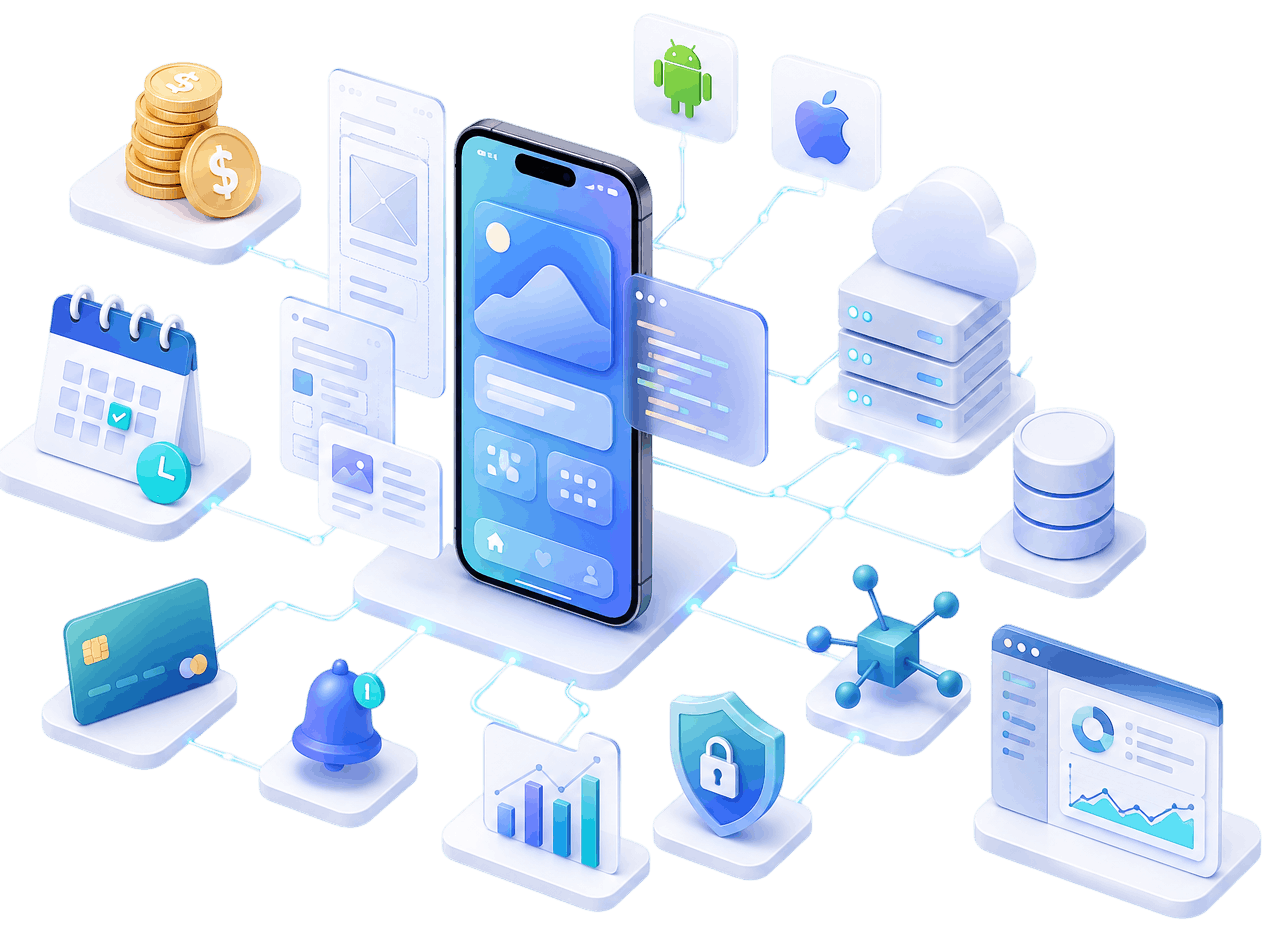
You'll need backend development the moment your app includes user accounts, cloud data that syncs across devices, payments, chat, notifications, analytics, an admin dashboard, or AI services. That infrastructure is a significant slice of the total build cost, and — this is the part people miss — it keeps costing money after launch through hosting, databases, and third-party APIs. We'll put real numbers on that in the hidden-costs section below.
Publish App Cost: The Full Breakdown
We covered the headline store fees up top, but the complete publishing picture includes a few more line items that first-time founders forget to budget for:
- Google Play Developer account — $25 one-time
- Apple Developer Program — $99 per year
- App icon, screenshots, and store graphics — free if you DIY, roughly $50–$300 with a designer
- A privacy policy and terms of service — required by both stores, free to generate or a small legal fee
- Domain and a simple marketing page — about $10–$20 per year plus hosting
There's one more cost that lives inside the stores rather than up front: commission. Apple and Google take 15%–30% of every in-app purchase or subscription. Both run small-business programs that drop the rate to 15% while you earn under $1M per year, which is where most new apps sit. It's not part of your build budget, but it absolutely shapes your pricing — so factor it into your revenue model, not just your upfront costs.
Hidden Costs Most People Ignore
When people calculate the cost of an app, most articles only talk about coding. In reality, several ongoing expenses show up after launch, and this is where budgets quietly get blown. Here are the real numbers I see:
- Hosting and servers — from $5/month on a small VPS, scaling to $100–$1,000+/month once you have thousands of active users
- Databases and cloud storage — often free to start, then usage-based (Firebase and Supabase both bill by reads, writes, and storage)
- Payment processing — Stripe charges about 2.9% + $0.30 per transaction
- Maps and location — Google Maps runs roughly $7 per 1,000 map loads after a monthly free credit
- Email and SMS — SendGrid is free up to a limit, then ~$20/month; SMS via Twilio is around $0.0079 per message
- Maintenance and updates — budget 15%–20% of your original build cost every year
The uncomfortable truth is that your app is never truly "finished." Operating systems change, security patches are needed, and successful apps keep adding features. When you estimate the real cost of your app, add a yearly maintenance line — skipping it is the number-one reason founders feel blindsided six months after launch.
How AI and Claude Code Are Lowering the Cost to Build an App
The most important change to app development costs in 2026 isn't a new framework — it's AI. Coding assistants like Claude Code, GitHub Copilot, and Cursor now write, refactor, and test large chunks of an app under a developer's direction. For a subscription of roughly $10–$20 per month, they remove a huge amount of the repetitive work that used to eat billable hours.
In my own freelance work, AI tools like Claude Code cut development time on boilerplate, forms, API integrations, and tests by anywhere from 20% to 50%. Fewer hours on the plumbing means a lower price passed on to you, and a faster path from idea to a working build. A medium app that took eight weeks two years ago can often ship in five or six today.
So when you compare quotes, ask how a developer actually works. A freelancer using AI responsibly — Claude Code for speed, human judgment for architecture and security — can often deliver the same quality for meaningfully less than a traditional shop billing every hour by hand. That efficiency is exactly why app development costs have come down for well-run projects even as apps have grown more capable.
Freelancer vs Agency: How It Changes Your Budget
Who builds your app is one of the biggest levers on the total price. A freelancer gives you lower pricing, direct communication, and faster decisions, with the trade-off of a smaller team and availability that depends on their workload. An agency gives you a full team — designers, project managers, QA engineers — but you pay for all of them, and approvals move slower.
For startups and small businesses, an experienced freelancer usually offers the best balance of quality and affordability. You're paying for the work, not for three layers of management overhead — which is often the single fastest way to bring the price down without cutting corners on quality.
How to Reduce the Cost to Build an App
You almost never need to build every feature immediately. The smartest way to control the price is to start with an MVP — a Minimum Viable Product — that does one thing well.
- Start with an MVP that solves a single, clear problem
- Launch quickly instead of polishing endlessly
- Collect feedback from real users
- Add features based on what people actually ask for
- Cut anything that isn't essential to version one
This approach slashes the initial cost, gets you to market faster, and — most importantly — validates that people want the app before you invest in the expensive advanced features. I'd rather build you a lean $2,000 app that proves demand than a $10,000 app built on a guess.
Example App Development Cost Estimates
To make this concrete, here are realistic price ranges based on typical freelance projects. Treat them as starting points — design quality, integrations, and long-term requirements all move the final price up or down:
- Calculator app — $200–$500
- Quiz app — $300–$800
- To-do app — $400–$1,000
- Restaurant app — $1,000–$3,000
- Booking app — $2,000–$5,000
- E-commerce app — $3,000–$8,000
- Delivery app — $5,000–$15,000
- Social network — $10,000–$50,000+
Notice how wide each band is. That range is the honest answer to "how much does an app cost" — the number depends entirely on the details, which is why a real estimate always beats a generic price.
Is Building an App Worth the Investment?
Most people focus only on the price and rarely consider the return. A well-built app is often an investment rather than an expense, because it can:
- Generate subscription and in-app revenue
- Increase sales for an existing business
- Improve customer loyalty and retention
- Reduce operational costs by automating manual work
- Expand your brand to a global audience
When you weigh the cost against even a modest lift in revenue or a few hours of staff time saved each week, the maths often works out quickly. The goal isn't the cheapest app — it's the app that earns back what you put into it.
Common Mistakes That Increase App Making Cost
Many businesses spend far more than necessary because of a handful of avoidable mistakes. Watching for these keeps your budget under control:
- Skipping the planning phase and building without clear requirements
- Changing the scope halfway through development
- Adding too many features before the first launch
- Ignoring user experience until it needs an expensive redesign
- Hiring purely on the lowest price instead of proven skill
- Forgetting to budget for maintenance, hosting, and updates
Careful planning saves both time and money while producing a better product. Nearly every over-budget project I've been asked to rescue traces back to one of these six mistakes — and every one of them is preventable before a single line of code is written.
Get an Accurate Estimate for Your App
There is no universal answer to the cost of an app, because every project has different goals, features, and technical requirements. A simple app may cost a few hundred dollars, while a complex platform can easily exceed $10,000. Instead of asking "how much does an app cost?", ask "what does my first version actually need to do?" — that single question does more to control your budget than any other.
If you're planning a mobile app in 2026 and want an accurate estimate instead of a generic range, the best move is to talk it through with a developer who can evaluate your idea, recommend the right technology, and give you a realistic breakdown of both the development and the publishing costs before the project begins.
Frequently Asked Questions
How much does it cost to build an app in 2026?
For most freelance projects, the cost to build an app ranges from about $200 for a simple utility to $10,000 or more for a complex platform. The exact price depends on complexity, features, whether you target Android, iOS, or both, and how much backend and design the app needs.
What is the publish app cost for the app stores?
The core publish app cost is a one-time $25 fee for a Google Play Developer account and $99 per year for the Apple Developer Program. Add a domain (~$10–$20/year) and optional store graphics, and your first-year publishing costs are usually under $200 — separate from development.
Is it cheaper to build for Android or iPhone first?
Building for one platform first is always cheaper than building for both. Choose the platform your audience actually uses. If you'll eventually need both, cross-platform tools like Flutter share most of the code and keep the combined cost far lower than two separate native apps.
Does AI really make apps cheaper to build?
Yes. AI coding tools like Claude Code and Copilot handle a lot of the repetitive work, cutting development time by 20%–50% on many projects. That lowers the app making cost for well-run teams — but AI still needs an experienced developer to architect, review, and secure the result.
Final Thoughts
The real cost to build an app in 2026 is a range, not a number — a few hundred dollars for something simple, five figures for something ambitious, and everything in between depending on the choices you make. The founders who spend wisely are the ones who start with a focused MVP, use modern tools and AI to move faster, and budget honestly for the hosting and maintenance that come after launch.
Get those decisions right and the cost becomes an investment you can measure, not a mystery you fear. If you want a real number for your idea rather than a generic estimate, reach out — I'll tell you exactly what it takes to build and publish it.